How to choose the right CPU for your custom PC build (without overspending)
The question I get most often isn't "which CPU is fastest?" It's "which CPU do I actually need?" And the honest answer is uncomfortable: for most people reading this, the processor you're eyeing right now is more than you need — and the money you'd save could go somewhere that visibly improves your frames.
I've built and rebuilt my own machines for years, and I've made this mistake more than once. My second build had a top-tier chip paired with a mid-range graphics card. In games, it performed worse than a friend's cheaper machine with a better GPU. That stung. So let's talk about how to avoid it.
Key Takeaways
- The graphics card decides your gaming performance far more often than the processor does.
- Six cores is the sane floor for gaming in 2026; eight cores buys you headroom for streaming and heavy multitasking.
- Socket and platform matter more than raw specs — a dead-end socket means a new motherboard next upgrade.
- Match your CPU to your resolution. At 1440p and 4K, the GPU carries almost the entire load.
- If your budget is around $2,000 for the whole tower, you're in comfortable territory for high-refresh 1440p gaming.
Before you buy any CPU, diagnose your actual bottleneck
Most guides tell you to ask three questions: what do you use the PC for, what's your budget, and how long until you upgrade. Good advice. But none of it helps if you're replacing a part that was never the problem.
Here's the test I run before recommending anything. Open your game, drop the resolution to 720p, and leave every graphics setting as it is. Now watch your frame rate.
If your FPS barely moves, your CPU is the limiter. If your FPS jumps dramatically, your GPU is the limiter — and a new processor won't fix what's bothering you.
The usage-monitor method that actually works
Install a hardware monitoring overlay and watch the CPU and GPU utilisation while you play. The reading tells you everything:
- GPU at 99%, CPU at 50% — your graphics card is the wall. Upgrade the GPU first.
- GPU at 70%, CPU pinned near 100% — now a faster processor will genuinely help.
- Both sitting low with terrible frame rates? That's usually a driver problem or a thermal throttle, not a hardware shortage.
I ran this test on my own rig last year expecting to justify a new chip. My GPU was pegged at 98%. I bought a graphics card instead and gained roughly 40% in frame rate. That's the whole lesson in one purchase.
Why resolution changes everything
The higher your resolution, the less your CPU matters. At 1080p, the processor often becomes the ceiling because the GPU finishes its work quickly. At 1440p and especially 4K, the graphics card becomes the bottleneck almost every time, and a mid-range CPU performs nearly identically to a flagship one.
So if you're gaming at 4K, spending an extra few hundred dollars on the processor is close to lighting money on fire. Put it in the GPU.
Is 6 cores or 8 cores better?
Six cores with modern multithreading is the sensible floor for gaming in 2026. Nearly every current title runs comfortably on six cores and twelve threads, and the ones that don't are rare enough to name on one hand.

Eight cores is better if you do more than game. Streaming while you play, editing video, running virtual machines, or keeping a dozen browser tabs open while a game runs in the background — that's where the extra two cores earn their price. For pure gaming, the difference between a six-core and an eight-core chip at the same clock speed is small, often single-digit percentages.
What I'd avoid is chasing core counts into double digits for a gaming machine. A 12-core or 16-core processor looks impressive on a spec sheet and sits idle most of the time in games. Cores beyond eight rarely translate into frames.
Is Ryzen 7 overkill for gaming?
Not overkill — but often unnecessary. A Ryzen 7 sits in the upper-mid tier: eight cores, strong single-thread performance, and enough headroom for streaming or light content work alongside gaming. If you only game and browse, a Ryzen 5 delivers about the same experience for meaningfully less money.
The honest way to decide: if you'd notice the savings, take the Ryzen 5. If you stream, edit, or simply want the machine to stay comfortable for five years, the Ryzen 7 is a reasonable stretch rather than a waste.
Frequency, IPC, and cache: what actually moves the needle
Clock speed is the number everyone quotes and the one that misleads the most. A 4.5 GHz chip from five years ago loses to a modern 4.0 GHz chip, because the newer one does more work per cycle. That's IPC — instructions per cycle — and it matters more than the headline GHz figure.
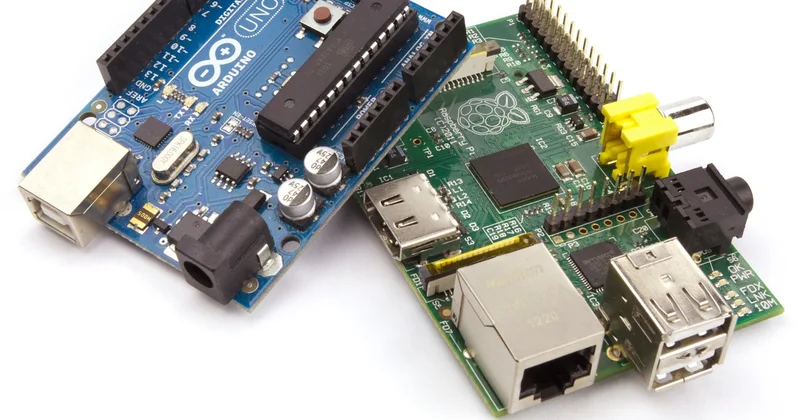
Cache is the quiet hero. Games lean on a large L3 cache to keep data close to the cores, and processors with generous cache often outperform higher-clocked rivals in exactly the titles that stress a CPU. When you compare two chips, look at the cache figure before you look at the boost clock.
Here's my rough priority order when comparing two processors for a build:
- Single-thread performance (drives most game frame rates)
- Cache size (big factor in simulation and open-world titles)
- Core count (must clear your usage floor, then stop mattering much)
- Boost clock (a tiebreaker, not a headline)
- Power draw and the cooling it demands, which quietly affects your total cost
Platform, socket, and the upgrade path you'll regret ignoring
This is the part I got wrong on an earlier build, and it cost me a full motherboard replacement two years later. A processor isn't a standalone purchase. It locks you into a socket, a chipset, and a memory standard.
| Decision | What it buys you | What it costs you |
|---|---|---|
| Current socket, entry chip | A clear upgrade path — drop in a faster CPU later | Less performance today, but flexibility tomorrow |
| Current socket, flagship chip | Maximum performance now, no near-term upgrade needed | Higher upfront cost, and the socket still ages |
| Older socket, discounted chip | Cheap entry, great value if you won't upgrade soon | End of the line — a new board and RAM next time |
DDR5 is now the default for new builds, and DDR4 only makes sense if you're reusing memory you already own or chasing a bargain on a platform that has stopped growing. Buying into a socket with no future is fine if the price reflects it. Buying into one at full price is not.
Is a $2,000 PC good for gaming?
Yes — comfortable, high-refresh 1440p gaming with headroom to spare, and a machine that handles 4K with reasonable settings. At that budget, you should be pairing a solid mid-to-upper CPU with a strong graphics card, not dumping half the money into a flagship processor.
The trap at $2,000 is over-investing in the CPU. Spend roughly 15–20% of a gaming budget on the processor and a much larger share on the GPU. A $2,000 build with a $600 CPU and a $400 GPU will lose to one with a $300 CPU and a $700 GPU almost every time.
Don't forget cooling and power draw
A processor's rated power draw determines the cooler you need, and that cost belongs in your budget. A high-wattage chip can demand a substantial air cooler or a liquid setup; a more efficient one runs happily on a compact tower cooler. Add the difference to the price tag before you decide the cheaper chip is actually cheaper.
My rule: check the peak power figure, then check what cooler it needs, then add both to the total. Twice now I've watched a "bargain" processor become the more expensive option once cooling was included.
Putting it together
Choose by use case, not by spec sheet. Run the bottleneck test first. Pick a current socket so you have somewhere to go. Hit six cores for gaming, eight if you multitask seriously. Then spend what's left on the graphics card, because that's where your frames actually live.
And the next time you're tempted by the fastest chip in the lineup, remember my second build. The one that lost to a cheaper machine. The processor was never the problem — I just wanted it to be.