Walk into any electronics store in 2026 and you'll see rows of external drives with nearly identical capacities and wildly different prices. A 2TB portable HDD sits at $65, and next to its cousin, a 2TB SSD, at $140. Both say "2TB." Both connect via USB. So why the gap?
That gap is the entire SSD vs HDD debate in miniature, and it's the question readers keep writing to ask me about. I've replaced enough laptop drives and lost enough sleep over a dead RAID array to have opinions on this. Let's get into it.
Key Takeaways
- SSDs win on speed, silence, and shock resistance. HDDs win on price per terabyte and raw capacity.
- For an operating system, boot drive, or gaming drive, SSD is the only sane choice in 2026.
- HDDs remain excellent for bulk storage, backups, and NAS setups where speed isn't the point.
- Capacity alone doesn't decide: a 256GB SSD beats a 1TB HDD for a system drive every time.
- Endurance (TBW) matters more than most buyers realize when workloads write heavily.
- Buy SSD for speed, HDD for volume. Ideally, use both.
SSD vs HDD: the real difference in one paragraph
An SSD stores data on flash memory chips. No moving parts, no spinning platters, no read/write heads skating across a magnetic surface. A traditional HDD does exactly that: magnetic disks spin at 5,400 or 7,200 RPM while an actuator arm moves a head to the right track. That mechanical dance is why HDDs are slower, noisier, and more fragile when dropped.
I still remember the sound of a laptop I owned around 2010, a 5,400 RPM drive that clicked and whirred every time I opened a browser tab. Switching to an SSD a couple of years later didn't feel like an upgrade. It felt like a different computer.
The speed gap, in numbers you can feel
A SATA III SSD reads at roughly 550 MB/s. A modern NVMe drive over PCIe can hit 3,500 MB/s or more. A 7,200 RPM mechanical drive tops out around 150 to 200 MB/s for sequential reads, and it drops hard on random small-file access — the kind of traffic an operating system generates constantly.
That random-access number is where the difference becomes visceral. Booting Windows from an HDD: 60 to 90 seconds. Booting from an NVMe SSD: 10 to 15 seconds. Loading a large game level can go from over a minute to a few seconds.
Why price per terabyte still matters
Here's where HDDs keep winning. A mechanical 8TB drive has hovered in a range that works out to a few cents per gigabyte for years, and enterprise 16TB+ models push that even lower. SSDs have gotten cheaper, but the curve flattens at the high-capacity end. Once you cross 4TB, the cost difference per terabyte can be five to ten times.
So the real question isn't "which is better." It's which one belongs in your specific machine for your specific job.
Should I buy SSD or HDD for storage?
The word "storage" hides two different jobs. There's active storage — the files your system touches constantly — and archival storage, which sits untouched for months and only needs to be reliable and cheap.
- Active storage (OS, apps, games, current projects): SSD. No debate.
- Bulk media (a video library, raw photo archives, downloaded films): HDD still makes financial sense.
- Backups and cold archives: HDD, ideally two of them, in different places.
- Anything you carry in a bag and drop occasionally: SSD, because a spinning drive doesn't forgive impact.
The mistake I see most often is people buying one big HDD and using it for everything — OS, apps, and archive. It works. It's also the reason their machine feels five years older than it is.
The two-drive approach I actually recommend
If your machine has room, put a 1TB or 2TB NVMe SSD in as the boot and application drive, and add a 4TB+ HDD for bulk files. That's the configuration in my own desktop, and I've set it up the same way for family members who call me every time their computer slows down. Total cost is often lower than a single massive SSD, and you get both speed and volume. This is the sweet spot for 90% of desktop users.
Is HDD still worth it in 2026?
Yes — just not as a primary drive. The mechanical hard drive has been pronounced dead repeatedly over the past decade, and it keeps surviving because the economics of storing many terabytes cheaply haven't been solved by flash.
Where HDDs remain genuinely useful in 2026:
- NAS boxes holding 20TB to 100TB of media for a household.
- Surveillance systems recording continuous video streams.
- Cold backups and offsite archives, where cost per terabyte is the only metric that matters.
- Bulk media production — video editors archiving finished projects, photographers keeping RAW catalogs.
- Budget pre-built machines where every dollar is fought over.
Where they've become painful: laptops. Almost every new laptop ships with an SSD, and putting an HDD in a portable machine today would be a strange act of self-sabotage — you'd get worse battery life, more noise, and a drive that dies if you drop your bag.
How much longer will HDDs stick around?
Longer than the obituaries suggest. Enterprise demand for high-capacity nearline drives stays robust, and consumer NAS and DVR markets aren't going away. I'd bet on new HDD models still shipping when SSDs hit price parity at 8TB — but I also wouldn't bet on that happening before 2030.
Is it better to have 1TB HDD or 512GB SSD?
For a boot drive — the one holding your operating system — the 512GB SSD wins, and it isn't close. You will feel the SSD every single day. You'll only feel the extra 512GB of HDD space when you start running out of room, and by then you can add an external drive for a modest sum.
For a pure archive drive, the 1TB HDD wins on cost. For a laptop, the SSD wins by default because there's usually only one bay.
Think of it this way: speed is a daily experience, capacity is an occasional constraint. Buy for the daily experience.
Is a 256GB SSD better than a 1TB hard drive?
As a system drive, the 256GB SSD is better. As a single-drive solution for everything, it's tight. Windows plus a handful of modern games can eat 150GB before you've saved a single document. A 256GB SSD gives you blazing speed and constant anxiety about free space.
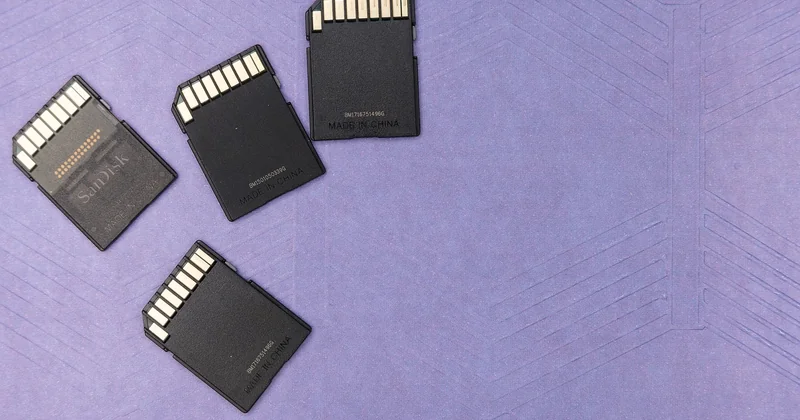
If a 256GB SSD is your only option, the workflow is: OS and apps on the SSD, everything else on an external HDD or in cloud storage. If you can stretch to 512GB, do it. The 256GB models exist mainly to hit a price point, and their performance often drops when they fill past 70% because the controller runs out of spare flash cells to shuffle data around.
The fill-level trap nobody warns you about
My first NVMe drive was 256GB. I filled it to 90% within two months, and write speeds tanked — copying a 10GB folder went from seconds to well over a minute. That's the SLC cache collapsing once the drive runs out of room to breathe. Lesson learned: buy at least double the capacity you think you need, because SSDs perform best with free space.
Side-by-side comparison
| Factor | SSD | HDD |
|---|---|---|
| Sequential read speed | 550 MB/s (SATA) to 3,500+ MB/s (NVMe) | 150–200 MB/s |
| Random access | Near-instant | Mechanical seek time |
| Price per TB | Higher | Lower |
| Max consumer capacity | Typically 4TB–8TB | Up to 24TB+ |
| Noise | Silent | Audible clicking and spinning |
| Drop resistance | Excellent | Poor |
| Best use | OS, apps, games | Bulk and archival |
Lifespan and reliability: which one actually lasts?
This is where intuition misleads people. HDDs fail mechanically — bearings wear out, heads crash, platters get scratched. SSDs fail electrically, and they have a write endurance limit measured in TBW (terabytes written).

A typical consumer SSD is rated for anywhere between 150 and 600 TBW. I've run one drive through roughly 200TB of writes over four years of heavy video editing, and it's still going. Unless you're running a database or a video render farm, you will almost certainly replace the drive for other reasons long before you exhaust that rating.
Where SSDs genuinely win on reliability is in portable devices. A spinning drive dropped from waist height is often a paperweight. An SSD in the same scenario usually shrugs it off.
Does reliability change the backup question?
Not really. Any drive can die — the only reliable protection is having your data in more than one place. My rule: if a file only exists on one drive, it doesn't exist. Two copies minimum, three if it's irreplaceable, and at least one offsite or in the cloud.
External drives for gaming and long-term storage
For running modern games from an external drive, SSD wins clearly. Games stream assets constantly, and a mechanical USB drive causes stutter and long load screens. I tested a big open-world title from an external HDD and the texture pop-in was constant; the same install on an external SSD loaded levels in a fraction of the time.
For long-term archival — the drive that sits on a shelf, powers up twice a year — an external HDD remains the sensible pick. Cheaper capacity, and neither drive type handles sitting idle forever particularly well. Plan to power archives up periodically and verify the data is still readable.
So which should you buy?
If you're buying one drive for a computer you use daily, buy an SSD. Pick NVMe if your motherboard supports it, SATA if not, and size up to at least 1TB if your budget allows. You'll feel the difference every time you open the machine.
If you're buying for a NAS, a backup strategy, or a media vault, buy an HDD. Buy two, actually, because a single backup drive isn't a backup — it's a single point of failure waiting to happen.
The honest answer to "SSD vs HDD" isn't one or the other. It's knowing which job you're solving for. Get that right, and the spec sheet arguments mostly disappear.