Router vs Modem: the two boxes behind your WiFi (and why mixing them up costs you money)
Two plastic boxes sit in a corner of your home. One of them is the reason your Netflix froze last Tuesday. The other is the reason your neighbour can't see your laptop. Most people couldn't tell you which is which, and that gap in knowledge is exactly how internet providers sell you a monthly rental fee for hardware you could own outright for the price of two dinners.
I'll admit something: for the first few years of writing about home networking, I used the words "modem" and "router" interchangeably in conversation. Then a reader emailed me after she'd spent $180 on a new router to fix an internet outage that had nothing to do with her router. Her modem was dying. That email changed how I explain this topic forever.
So let's settle it properly. A modem brings the internet into your home. A router spreads it around your home. Different jobs, different failure symptoms, different reasons to replace them.
Key Takeaways
- A modem converts your provider's signal (cable, fibre, phone line, 5G) into something your devices can use.
- A router creates your local network and hands out IP addresses to your phone, laptop, TV, and thermostat.
- You need both functions. You don't necessarily need two physical boxes.
- A router alone cannot connect to your provider. A modem alone gives internet to exactly one device.
- Diagnose before you buy: no signal at all points to the modem, weak WiFi points to the router.
- Renting a modem from your provider often costs more over two years than buying one.
What does a modem actually do?
The word comes from modulator-demodulator, which sounds like engineering jargon until you realise what it describes. Your provider sends data across a cable, a fibre strand, or a phone line in a form your computer cannot read. The modem translates it into standard network traffic, and translates your outgoing requests back into the provider's language.
That's the whole job. One translation, in both directions, all day.
The modem is your front door
Think of it this way: your modem holds the public IP address your provider assigns to your home. Everything you send to the outside world leaves through that single address. If the modem loses its connection, nobody in the house has internet, no matter how expensive the router is.
A quick test I use constantly: plug a laptop directly into the modem with an Ethernet cable, bypassing the router entirely. If the laptop gets online, your modem is fine and the problem lives downstream. If it doesn't, you've found your culprit in under two minutes. That single test has saved me from buying unnecessary hardware at least four times.
What the modem does not do
- It does not create a WiFi network.
- It does not assign local IP addresses to your devices.
- It typically serves one device at a time unless something else is doing the sharing.
- It has no firewall worth the name.
Plug your laptop straight into a bare modem and you're on the open internet with no protection layer. Fine for a five-minute diagnostic. Not fine as a permanent setup.
What does a router do, and why your WiFi depends on it
Here's where most people's mental model breaks. The router takes that single connection from the modem and splits it across every device in your home—your phone, your partner's laptop, the smart TV, the doorbell camera, the printer nobody remembers installing.
It does this by creating a private network. Your router hands out local IP addresses (usually something like 192.168.1.x), keeps track of which request came from which device, and makes sure the reply finds its way back. It also runs a basic firewall, which is why random strangers on the internet can't reach your devices directly.
The traffic cop, not the highway
If the modem is the highway on-ramp, the router is the traffic cop standing at the intersection deciding who goes where and when. When twenty devices all want bandwidth at once, the router does the queueing. This is why a cheap router with 40 connected devices behaves like a traffic cop who's fallen asleep.
In my own home, I watched latency on video calls jump from around 30 ms to over 200 ms simply because I'd added too many smart plugs to an ageing router. The fibre connection was flawless. The cop was overwhelmed. Swapping the router fixed it instantly.
WiFi is a router feature
Worth stating plainly: WiFi is not a separate thing. It's a feature built into routers. If someone tells you they need "a WiFi," they mean a router with wireless capability. Nearly all consumer routers sold today include it.
Router vs modem, side by side
Tables beat paragraphs when the comparison is this clean.
| Criteria | Modem | Router |
|---|---|---|
| Main function | Translates the provider's signal | Distributes the connection to your devices |
| IP address held | One public IP | Many private IPs |
| WiFi capability | No (with rare exceptions) | Yes, on almost all modern models |
| Firewall | Minimal or none | Built-in, basic to advanced |
| Connects directly to the provider | Yes | No |
| Symptom when it fails | No internet anywhere | Internet works, WiFi is weak or drops |
| Typical replacement cycle | Every 4 to 7 years | Every 3 to 5 years |
That last row matters more than people expect. Modems go stale when your provider upgrades its network standards, not when they break. Routers go stale when WiFi standards move forward—and they move fast.
Do we need both a router and a modem?
Yes, you need both functions. You do not always need both boxes.
Combined units exist—often sold as gateway devices—and your provider probably gave you one. Inside that single plastic shell, a modem chip and a router chip sit side by side doing their separate jobs. Functionally, nothing changes. Physically, you have one device to reboot instead of two.
When a combo makes sense
- You want the simplest possible setup and don't care about tuning.
- You live in a small flat where coverage isn't a challenge.
- You'd rather make one support call than diagnose two devices.
When separate devices win
Separating them gives you real advantages. You can upgrade your router for better WiFi without touching the modem your provider supports. You can place the router somewhere central instead of wherever the cable comes into the house. And you can replace one failing piece of hardware instead of an entire gateway.
My honest opinion: if you have fibre, more than fifteen connected devices, or a home office, keep them separate. I'll take that position to the end. The flexibility is worth the extra cable.
Do I need a modem or just a router?
If your only goal is distributing an internet connection you already have, a router is what you're buying. But a router cannot create a connection. It has nothing to talk to without a modem (or a gateway) in front of it.
Picture it concretely. A router with no modem is a traffic cop standing in an empty field. It can direct traffic beautifully. There's no traffic.
The only situations where you genuinely skip the modem are networks that already deliver an Ethernet handoff—some building-wide setups, certain business fibre installs, or a landlord-provided connection. In those cases the translation is already happening somewhere upstream, and your router just plugs into a wall jack.
Can you just plug a router into a modem?
Physically, yes. One Ethernet cable from the modem's LAN port to the router's WAN port. That's the connection.
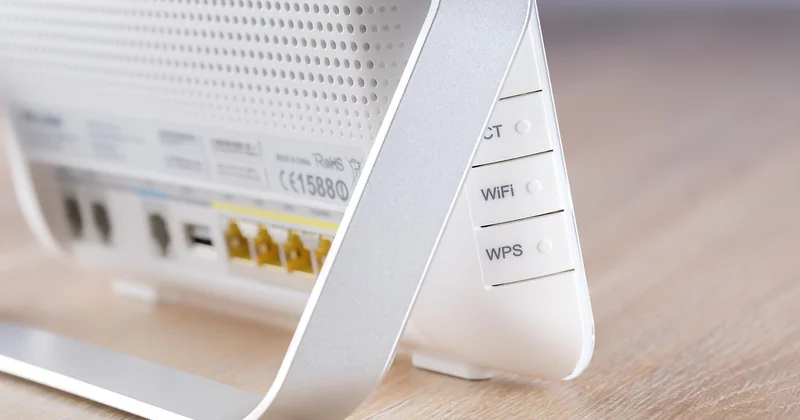
But "just plugging it in" often isn't enough, and this trips up a lot of people. Depending on your provider and hardware, you may also need to:
- Put the modem into bridge mode so it stops acting like a router itself.
- Configure PPPoE credentials on the new router if your provider uses them.
- Clone the MAC address of the previous device if your provider locks to hardware.
- Reboot the modem after connecting, sometimes twice.
Skipping bridge mode is the mistake I see most often. You end up with two devices both trying to route traffic, and the result is a mess of double NAT—port forwarding stops working, some games refuse to connect, and video calls get flaky in ways that are maddening to diagnose.
Take the extra ten minutes. Configure properly once.
How to tell which device is failing
The symptoms are more distinct than people assume. Read them carefully and you'll usually skip a pointless purchase.
Signs the modem is the problem
- No internet on any device, wired or wireless.
- The modem's status lights show a lost connection to the provider.
- Direct Ethernet connection to the modem also fails.
- Your provider's outage page confirms nothing on their end.
Signs the router is the problem
- Internet works when wired, but WiFi is slow or drops.
- Devices disconnect randomly and reconnect fine after a reboot.
- Some rooms get a strong signal, others get nothing.
- Everything crawls when several devices stream at once.
Weak signal in the far bedroom? That's a router or coverage issue, never a modem issue. Total blackout across every device? Start with the modem.
Do I need to replace my modem or router?
Replace based on the symptom, not on how old the box looks.
Replace the modem when your provider has moved to a newer cable standard your device doesn't support, when it drops connection several times a week, or when it's more than six or seven years old. Older modems simply can't handle the speeds newer plans deliver, and you'll pay for bandwidth you never receive.
Replace the router when WiFi coverage has become a daily frustration, when it can't keep up with the number of devices in your home, or when it predates the current WiFi generation by two cycles. A router that was excellent five years ago can be a genuine bottleneck today.
The rental question nobody asks
Most providers charge a monthly fee to rent you a modem or gateway. Over two years, that adds up to considerably more than buying your own—and you keep nothing at the end. Check whether your provider allows customer-owned equipment; many do. If they do, buying usually pays for itself within eighteen to twenty-four months.
One caveat. If you buy your own, you own the troubleshooting too. Some people find that trade worth it. Others would rather make one phone call and let someone else worry. Know which person you are before you switch.
The box that deserves your attention
Here's what I keep coming back to. When someone's internet misbehaves, the router gets blamed and the modem gets ignored—usually because the router is the device with the blinking lights you can see and the modem is the boring box behind the sofa.
But the modem is where your connection either exists or doesn't. Every WiFi problem you've ever had starts from a working modem. Every internet outage starts from a broken one.
Next time something goes wrong, do the two-minute test: plug a laptop straight into the modem. That single cable tells you which of the two boxes actually needs your money. Most people never run it. That's precisely why they end up buying the wrong one.